

How Easy Restaurant Works
Discover the complete platform in action - from QR code to kitchen control
Owner Dashboard
Manage your entire restaurant from one intuitive dashboard. Create menus, monitor orders, and access your QR codes.
- Menu Management
Create, edit, and organize your menu effortlessly. Add photos, prices, categories, and allergens.
- QR Code/Table Management
Generate, customize, and download QR codes for your tables. Print and pin anywhere.
- Staff Management
Create accounts for waiters and kitchen staff. Manage passwords, roles, and login status.
- Restaurant Settings
Configure name, logo, opening hours and days, VAT, and custom menu styling.
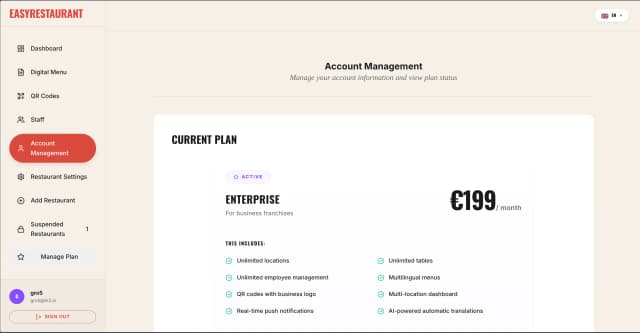
- Subscription Management
Monitor current plan, renewal date, payment method, and billing details.
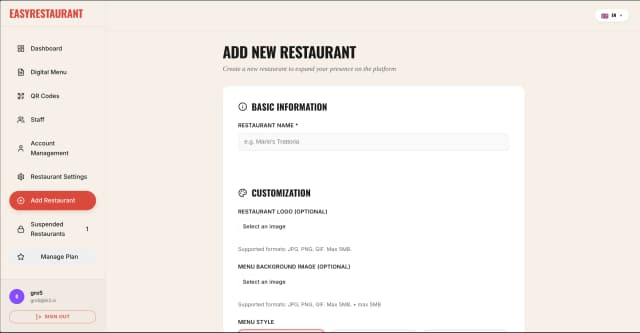
- Multi-Location Management
Manage multiple locations with Enterprise plans. Configure each restaurant separately.
- Statistics
View tables, staff, and menu metrics. Monitor real-time performance.
- AI-Powered Translations
Auto-translate menu to 6 languages with one click. You can always customize translations manually.
- Multilingual Platform
The entire platform is available in 6 languages. You, your staff, and your customers can choose your preferred language.
from QR Code to Menu
Your customers scan the QR code at the table and instantly see the complete menu on their smartphone.
- Instant Access
No downloads or registration required. Scan and order in seconds.
- Intuitive Interface
Responsive design that works seamlessly on any mobile device.
- Quick Orders
Choose dishes, customizations, and quantities. Confirm instantly.
- Multiple Guests, Multiple Languages
All guests at the table can order simultaneously from their device, each choosing their preferred language. The cart is synchronized in real-time for everyone.
Staff Dashboard
Every role has its dedicated space. Kitchen, waiters, and cashiers work in perfect sync.
- Kitchen Panel
View orders in real-time with automatic priorities and timers.
- Waiter Panel
Receive push notifications when dishes are ready and mark as served.
- Cashier Panel
Process payments and view order history for every table.
- Multilingual Platform
All staff can choose their preferred language. Menus, orders, and instructions always in your language.
Complete Order Workflow
Watch how our teams collaborate. From customer ordering, to kitchen preparing, to waiter serving, to cashier processing.
Step by Step
Customer Orders
Customer scans QR code and places order from their phone.
Kitchen Receives
Order instantly appears on kitchen display and staff CMS.
Kitchen Prepares
Kitchen staff marks order as completed when dish is ready.
Waiter Serves
Waiter receives notification and serves dish to correct table.
Cashier Processes
Cashier receives order and customer can complete payment.
Owner Dashboard - Explore the Platform
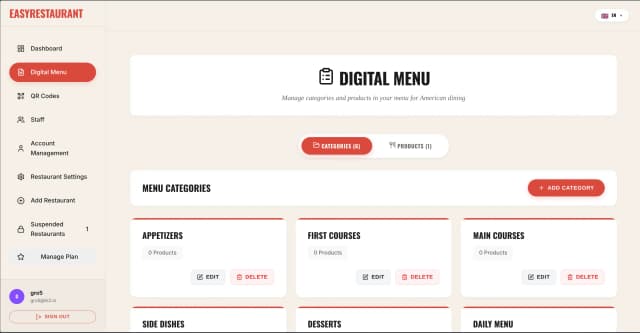
Menu Management
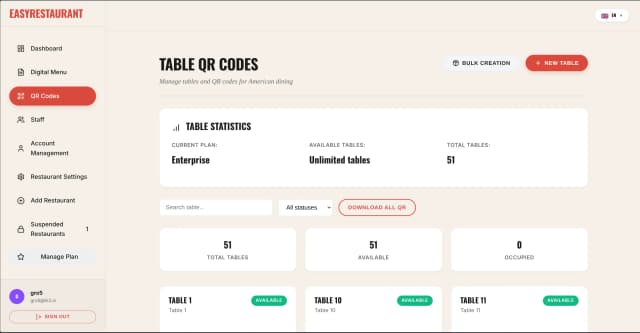
QR Code/Table Management
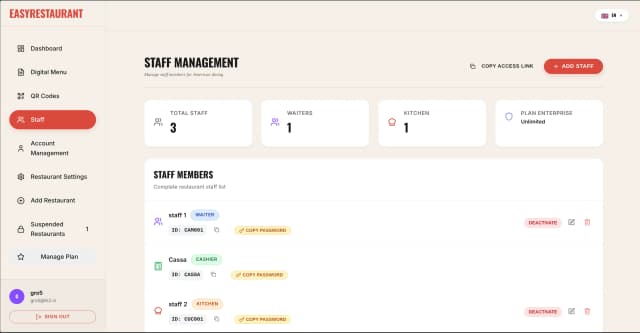
Staff Management
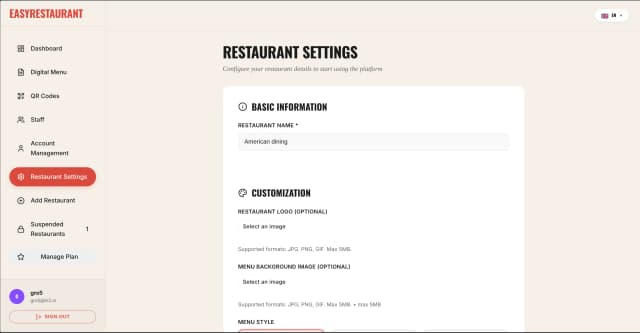
Restaurant Settings
Subscription Management
Multi-Location Management
Ready to Transform Your Restaurant?
Join hundreds of restaurants that have already digitized their business
Start Your Free TrialSetup in 30 minutes • First 14 days free